

/ FEATURES
The tools inside
/ CUT SAAS COSTS
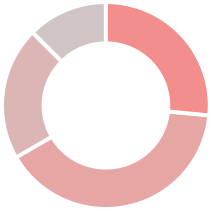
Save 30 % on SaaS licenses
Save 30 % on SaaS licenses by identifying unused, duplicate or underutilized seats across your software stack, giving you a clear overview of where costs can be reduced and licenses optimized. With better visibility into usage and ownership, you can reclaim licenses before renewals and ensure every seat is actually delivering value.
€ 605.558
0%
Company software costs
/ Reduce IT backlog
Turn IT requests into simple self-service
Employee Self-Service reduces the long backlog of IT requests by letting employees see the software available in the organisation, the licences they already have, and follow a simple process to request new access or tools. Routine tasks move out of IT’s queue, freeing the team to focus on more important work.





/ compliance maP
1-Click Compliance
Skip the compliance headache entirely — we’ve got you covered. Instantly see how compliant your SaaS stack is with a clear matrix of legal documents, data residency and security certifications (like GDPR, ISO 27001 and SOC 2), helping you understand how each tool handles and protects customer data (PII).



/ KPI Insights
Dashboard with the most important measures
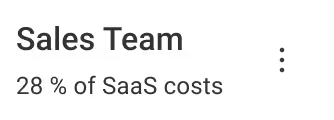
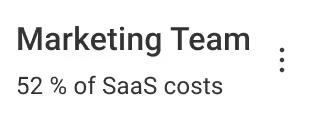
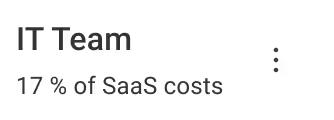
Insight displays key SaaS metrics — including costs, active users, subscriptions, and licenses, in one central view for easy monitoring and analysis.
/ Renewals
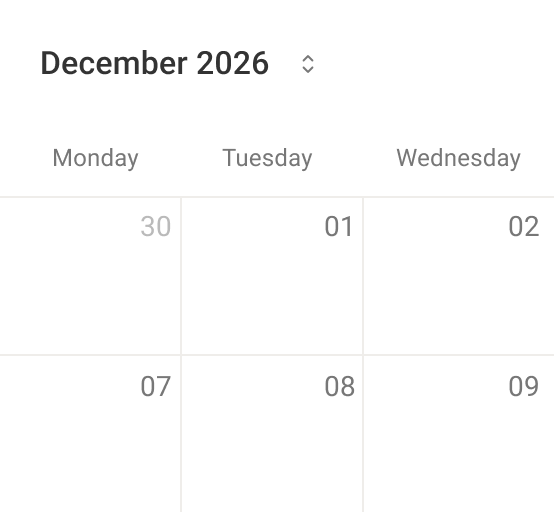
Visualization on payment and contract renewals
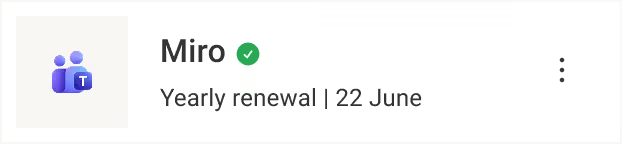
Renewals shows a visual calendar of upcoming software licence renewals, and their costs, helping you stay on top of what’s coming due.


/ Reminders
Get notified by mail, Slack or simpy set an alarm
Reminders lets you set automated alerts for upcoming licence and subscription dates, so you stay informed about renewals and key deadlines.


/ Ratings
Happy employees with (rated) software
Ratings lets employees rate the software they use so you can keep the best tools and improve overall employee experience and satisfaction.



/ Access User Map
Who have access to what
User Access Map shows a matrix of employees and the software licences they hold, giving a clear overview of who has access to what.



/ Team tags
Define team responsibilities
Teams groups people, assigns responsibility for software, and divides associated costs by team so ownership and spending are clear.
/ User Levels
User roles to gradient access levels
User levels define what users can access in Unscribe and who’s responsible for each software — assigning roles for platform permissions.
Admin
Basic
Manager
IT
+ Create new access level
/ UNSCRIBE SAAS MANAGEMENT
Better Tools, Better Work
Sure, we help cut SaaS costs — but more importantly, we save hours of wasted effort and make work more enjoyable for your employees.